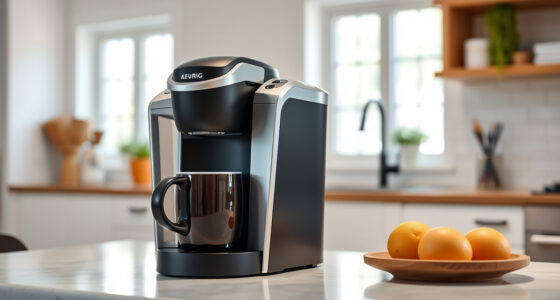

If your Keurig K-Mini Single Serve Coffee Maker isn’t turning on, it can be frustrating, especially when you’re craving your morning brew. Fortunately, most power issues are simple to diagnose and fix with basic troubleshooting steps. This guide will help you identify common causes and safely restore your Keurig’s functionality.

Get coffee and tea gear delivered free — and shop member deals
- Fast, free delivery on millions of items
- Access to Prime Big Deal Days deals on October 6–7
- Prime Video, Amazon Music and more included
Before attempting any repairs, ensure your machine is plugged in properly and the outlet is functioning. Follow these clear, safe steps to troubleshoot and resolve the problem efficiently.
Key Takeaways
| Check Power Connection | Ensure the machine is plugged in and outlet works. |
| Inspect Power Button | Make sure the power button is fully pressed and responsive. |
| Examine Power Cord | Look for damage or loose connections. |
| Reset or Unplug | Try resetting the machine by unplugging it for 5 minutes. |
| Check for Internal Faults | Consider potential internal issues if the above steps don’t work. |
Ensure Proper Power Connection
- Verify that the Keurig K-Mini is securely plugged into a functioning electrical outlet.
- If possible, test the outlet with another device to confirm it supplies power.
Check the Power Button and Settings
Press the power button firmly to ensure it registers. Some units may have a soft touch, so press it multiple times. Confirm that no sleep or energy-saving modes are preventing startup.
Inspect the Power Cord and Internal Components
- Unplug the unit and visually inspect the power cord for damage, frays, or loose connections.
- If damaged, replace the cord or consult a professional for repairs.
Perform a Reset or Power Cycle
- Unplug the Keurig K-Mini from the outlet.
- Wait at least 5 minutes to allow internal components to reset.
- Plug it back in and press the power button.
Additional Troubleshooting and When to Seek Help
If your Keurig still won’t turn on, consider internal issues such as a faulty circuit board or switch. In such cases, contact Keurig customer support or a qualified technician. Avoid opening the unit yourself to prevent voiding warranties or causing further damage.
The Products in This Guide
Keurig K-Mini Single Serve K-Cup Pod Coffee Maker

The Keurig K-Mini Single Serve Coffee Maker is a sleek, space-saving device ideal for small kitchens or offices. Its simple design and quick brew feature make it a popular choice, but like all electronics, it can sometimes face power issues.
Pros:
- Fits in tight spaces
- Easy to use and clean
- Brews quickly between 6-12oz
- Travel mug friendly
Cons:
- No on/off switch (powers on when plugged in)
- Limited water reservoir
- Internal faults require professional repair
Best for: Small space living and occasional use
Not ideal for: Heavy daily use or large volume brewing
Bottom line: A compact, dependable coffee maker perfect for small spaces, though power issues may require troubleshooting or professional repair.
My K-Cup® Reusable Coffee Filter

If you prefer using ground coffee, the My K-Cup reusable filter offers a convenient and eco-friendly alternative to K-Cup pods, compatible with your Keurig.
Pros:
- Brews with your favorite ground coffee
- Reusable and eco-friendly
- Easy to clean
- Cost-effective in the long run
Cons:
- Requires filling before each brew
- May require additional cleaning
- Not compatible with all models
Best for: Eco-conscious users and ground coffee lovers
Not ideal for: For those who prefer pod convenience
Bottom line: A practical reusable filter that enhances your coffee experience while reducing waste.
Frequently Asked Questions
Why won’t my Keurig K-Mini turn on?
Possible causes include a faulty power outlet, damaged power cord, internal electrical issues, or the unit not being plugged in properly. Follow troubleshooting steps to identify the issue.
Is there a reset button on the Keurig K-Mini?
The Keurig K-Mini does not have a dedicated reset button. Resetting involves unplugging the unit for a few minutes, then plugging it back in.
My Keurig still won’t turn on after troubleshooting. What should I do?
If basic troubleshooting doesn’t work, contact Keurig customer support or a qualified technician for further assistance. Do not attempt to open the unit yourself.
Can I use a different power cord?
It’s recommended to use the original power cord supplied with your Keurig to ensure safety and proper operation. Using incompatible cords may cause damage.
Getting Your Keurig K-Mini Back in Business
While a non-starting Keurig K-Mini can be concerning, most power issues are straightforward to diagnose and fix. Always prioritize safety by unplugging the device before inspecting or cleaning. If troubleshooting doesn’t resolve the problem, professional repair or contacting Keurig support is advised. A little patience and careful steps can help you enjoy your favorite coffee again soon.
Affiliate disclosure: As an Amazon Associate we earn from qualifying purchases. Prices and availability are accurate as of the time of publishing.
Halloween Picks
halloween
As an affiliate, we earn on qualifying purchases.