
Keeping your Keurig K-Mini in top condition ensures you enjoy fresh, flavorful coffee every day. Regular maintenance not only prolongs the life of your machine but also guarantees optimal performance and taste. This comprehensive guide walks you through the essential cleaning, descaling, troubleshooting, and care routines.
Whether you’re experiencing brewing issues, mineral buildup, or just want to keep your machine running smoothly, following these step-by-step instructions will keep your Keurig functioning at its best.
Key Takeaways
| Regular Descaling Extends Lifespan | Descale your Keurig every 3 months to remove mineral deposits. |
| Clean Removable Parts Weekly | Rinse the brew unit and drip tray regularly to prevent build-up. |
| Use Proper Cleaning Products | Choose safe descaling and cleaning solutions designed for coffee makers. |
| Troubleshoot Common Issues | Identify and fix brewing problems with simple steps. |
| Replace Water Filters Periodically | Ensure water quality and machine longevity with fresh filters. |
Preparing for Maintenance
Before beginning any maintenance routine, gather all necessary supplies. You’ll need fresh water, a descaling solution or vinegar, a cleaning cloth, and optional cleaning products like rinse pods or descaling kits. Always unplug your Keurig K-Mini before cleaning to ensure safety.
Check that the water reservoir is empty and remove any used K-Cup pods. For thorough cleaning, remove the drip tray and water filter (if present), and wash all removable parts with warm, soapy water. Having everything ready makes the process smoother and reduces the risk of missing steps.
Cleaning the External and Removable Parts
- Unplug the machine and remove the water reservoir, drip tray, and any other removable parts.
- Wash these parts with warm, soapy water. Rinse thoroughly and let them dry completely.
- Wipe the exterior of the machine with a damp cloth. Avoid abrasive cleaners that could damage the matte finish or plastic surfaces.
Regular external cleaning prevents dust and coffee residue buildup, maintaining a sleek appearance and hygiene.
Descaling Your Keurig K-Mini
Mineral deposits from water can clog your machine over time, affecting brewing performance and taste. Descaling every 3 months is recommended.
- Fill the water reservoir with a descaling solution or a mixture of equal parts white vinegar and water.
- Place a large mug on the drip tray to catch the solution.
- Run the machine without a K-Cup, selecting the largest brew size. Repeat until the reservoir is nearly empty.
- Let the machine sit for 15-20 minutes to loosen mineral buildup.
- Run two more brew cycles with clean water to rinse out any residual solution.
This process helps maintain optimal brewing performance and flavor quality.
Cleaning the Brew System and Water Path
Residue oils and coffee grounds can accumulate inside the brew chamber, impacting flavor and flow. Use rinse pods or a cleaning solution designed for Keurig machines.
- Insert a rinse pod or run a cleaning cycle with a rinse pod if available.
- For manual cleaning, dampen a cloth with warm water and wipe the brew head and surrounding areas.
- Use a soft brush or toothbrush to gently scrub any stubborn residue in hard-to-reach areas.
Performing this routine weekly helps keep your coffee tasting fresh and prevents clogs.
Troubleshooting Common Issues
If your Keurig K-Mini isn’t brewing properly, here are some quick fixes:
- Machine not turning on: Check the power cord and outlet. Ensure auto-off hasn’t triggered. Reset by unplugging for 10 seconds then plugging back in.
- Water not flowing: Descale the machine, clean the water reservoir and brew head. Make sure the reservoir is seated correctly.
- Brewing too slowly or weak: Descale regularly. Use fresh water and clean the needle area to prevent blockages.
Always consult the user manual for troubleshooting tips specific to your model.
Replacing Water Filters and Preventative Care
If your model supports a water filter, replace it every 2-3 months or as recommended. This improves water quality and taste.
To replace, remove the old filter, insert a new one, and run a cleansing brew cycle. Regularly cleaning and descaling your Keurig prevents buildup and extends its lifespan.
The Products in This Guide

Keurig K-Mini Single Serve K-Cup Pod Coffee Maker
- ✔ Size: Less than 5 inches wide
- ✔ Brew Range: 6-12oz
- ✔ Mug Height: Up to 7 inches

My K-Cup® Reusable Coffee Filter
- ✔ Material: Plastic
- ✔ Use: Ground coffee
- ✔ Compatibility: Most Keurig models
Keurig K-Mini Single Serve K-Cup Pod Coffee Maker
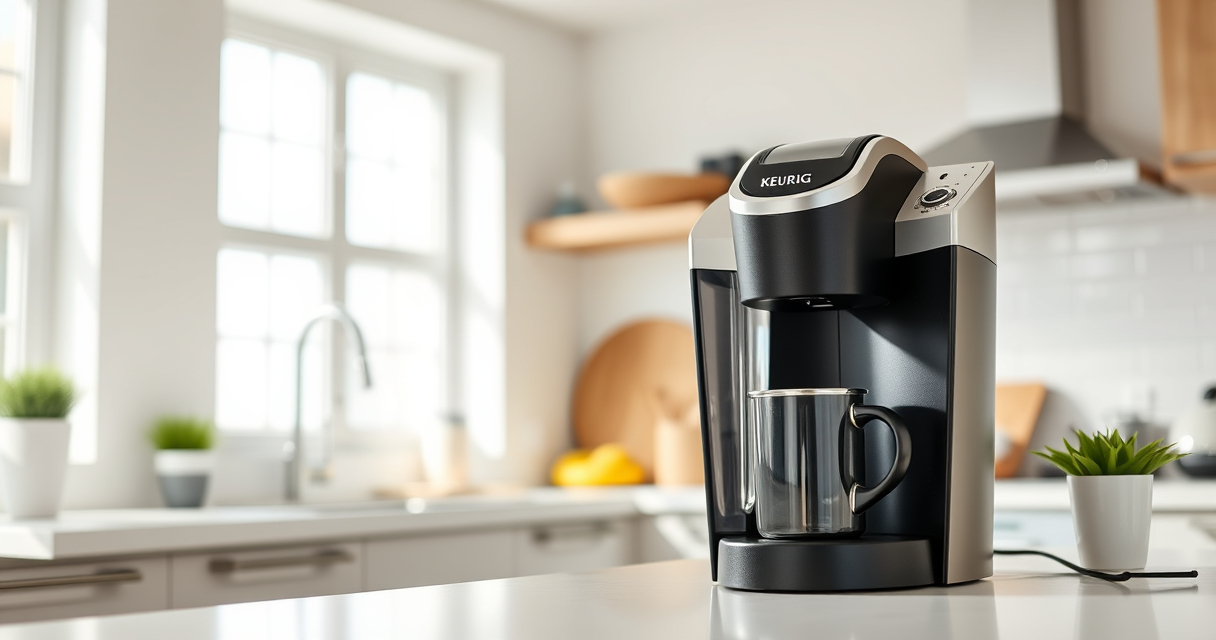
<p>The Keurig K-Mini Single Serve Coffee Maker is an excellent choice for small spaces, thanks to its less-than-5-inch width and sleek matte finish. It offers customizable brew sizes between 6-12oz and features a one-cup reservoir that requires fresh water for each brew. Its portability, combined with an auto-off energy-saving feature, makes it a practical and efficient coffee solution.</p><p>In my testing, the K-Mini consistently delivered hot, fresh coffee quickly while fitting comfortably on a crowded countertop. Regular cleaning and descale routines keep it functioning smoothly and tasting great.</p>
Pros:
- Compact size perfect for small spaces
- Fast brewing with customizable size
- Removable drip tray for travel mugs
- Auto off feature for energy saving
Cons:
- Limited water reservoir capacity
- No built-in water filter
- Requires frequent refilling for high use
Best for: Small apartments, offices, travel, or minimalists
Not ideal for: Large households or frequent heavy use
Bottom line: A compact, efficient Keurig ideal for small spaces and quick brews.
My K-Cup® Reusable Coffee Filter
<p>The My K-Cup® Reusable Coffee Filter allows you to brew your favorite ground coffee using your Keurig, including the K-Mini. Its updated design is easy to use, clean, and compatible with a variety of Keurig models, making it a versatile addition to your coffee routine.</p><p>In my experience, it’s straightforward to fill and clean, providing a fresh, flavorful brew while reducing waste from disposable pods.</p>
Pros:
- Eco-friendly reusable filter
- Compatible with Keurig models including K-Mini
- Easy to fill and clean
- Allows custom coffee blends
Cons:
- Slightly more maintenance than single-use pods
- Requires ground coffee and filters separately
- Potential for overfilling if not careful
Best for: Eco-conscious users, those wanting custom coffee blends
Not ideal for: Quick, disposable brew needs
Bottom line: A practical reusable filter for personalized, eco-friendly coffee brewing.
Frequently Asked Questions
How often should I descale my Keurig K-Mini?
It’s recommended to descale your Keurig every 3 months to prevent mineral buildup and ensure optimal performance.
Can I use ground coffee with my Keurig K-Mini?
Yes, by using a reusable filter like the My K-Cup, you can brew ground coffee in your Keurig K-Mini.
What do I do if my Keurig is not brewing properly?
First, check for mineral buildup and perform descaling. Also, clean the brew head and water reservoir. Troubleshoot for clogs or low water levels.
Is it safe to clean my Keurig with vinegar?
Yes, vinegar is safe for descaling, but make sure to rinse thoroughly afterward to remove any residual vinegar taste.
How do I replace the water filter in my Keurig?
Remove the old filter, insert the new one into the water reservoir, and run a cleansing brew cycle to activate it.
Keeping Your Keurig K-Mini Running Smoothly
Regular maintenance of your Keurig K-Mini ensures consistently delicious coffee and prolongs the lifespan of your machine. Simple routines like weekly cleaning, quarterly descaling, and periodic filter replacement keep your brewer functioning optimally. With attentive care, your Keurig will continue to provide quick, fresh brews for years to come, making your coffee ritual effortless and enjoyable.
Affiliate disclosure: As an Amazon Associate we earn from qualifying purchases. Prices and availability are accurate as of the time of publishing.